How to time block in Google Calendar
To time block in Google Calendar, create an event for each task in a free slot of your day, as long as the task really takes, and move it when plans change. It works with any Google account and costs nothing, but every block is an event you create by hand. Musli is a desktop planner for macOS, Windows and Linux that does the same on top of your Google Calendar with drag and drop: tasks wait in an Inbox with a length and become blocks when you drop them on the day.
Time blocking in Google Calendar, step by step
- 1
List tasks with a length
Write down what you want to get done and how long each task takes. Be generous: most tasks take longer than the first guess.
- 2
Open the day or week view
Switch Google Calendar to Day or Week so you see your meetings and the gaps between them.
- 3
Create one event per task
Drag across a free slot to create an event, name it after the task and save it. Keep the most demanding work for the hours you think best.
- 4
Colour the blocks
Give deep work one colour and admin another, so the week shows its balance at a glance.
- 5
Use Focus time if you have it
Work and school accounts on Google Workspace Business Standard, Enterprise, Education and some other editions can create Focus time events. Personal Gmail accounts cannot.
- 6
Re-plan at the end of the day
Drag unfinished blocks to tomorrow instead of leaving them behind, so the calendar stays true.
The same, faster, with Musli
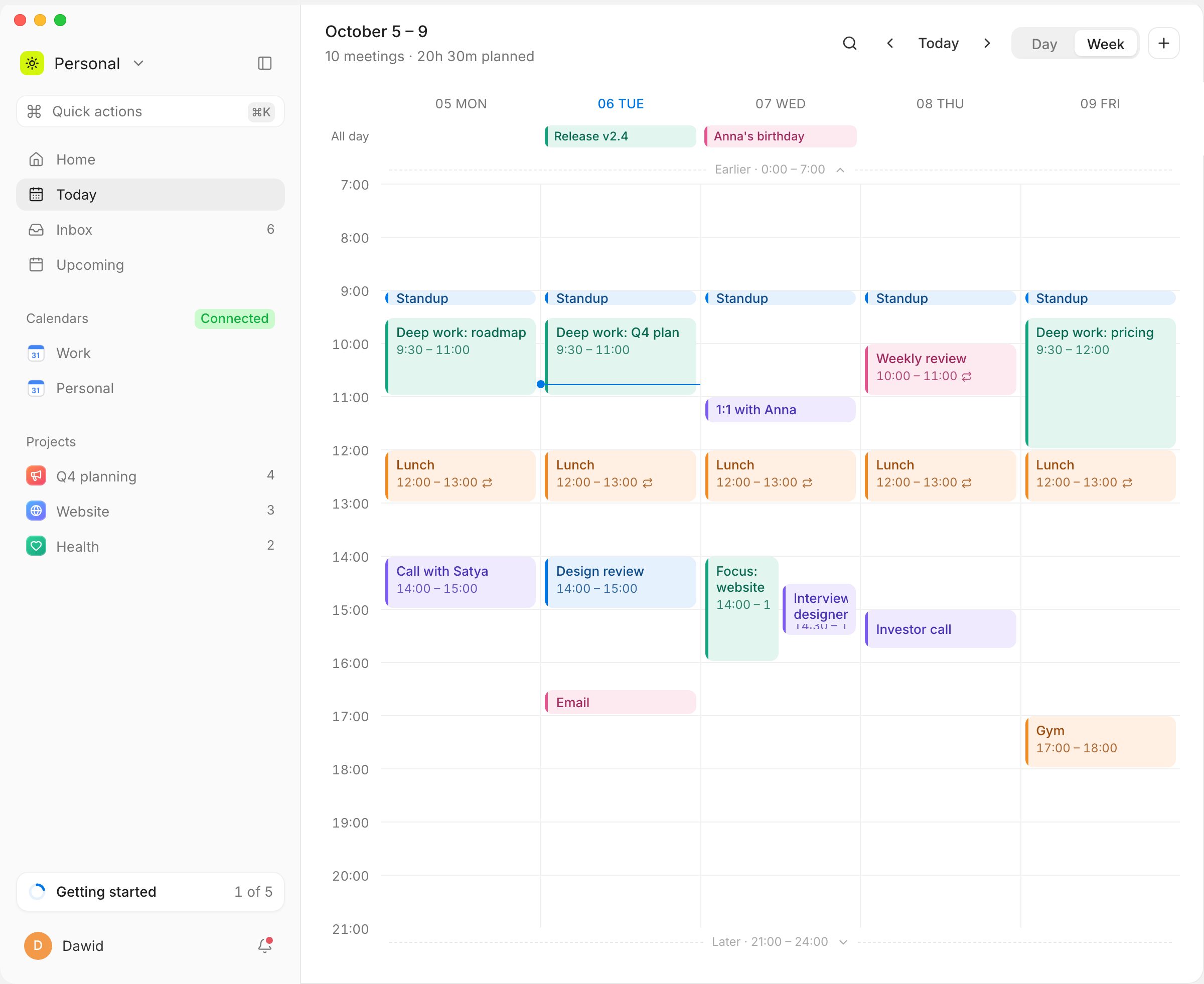
Tasks wait in an Inbox
Add a task with its length once. It stays in the Inbox until you give it a time.
Drag a task onto the day
Drop it between your Google Calendar meetings and it becomes a block of the right size.
Plan my day
⌘K → Plan my day fills the free time inside your working hours with your Inbox, in order. ⌘Z undoes it.
Two-way sync, offline too
Meetings you move in Musli move in Google Calendar. Changes made offline wait and sync later.
Questions
Not as such: you time block by creating events. Work and school accounts on some Google Workspace editions also get Focus time events. Google Tasks can show in the calendar, but a task has no length.
Try Musli on your own day
Pay once, $49, and download it right away for macOS, Windows and Linux. Full refund within 14 days.