A time blocking app that takes seconds a day
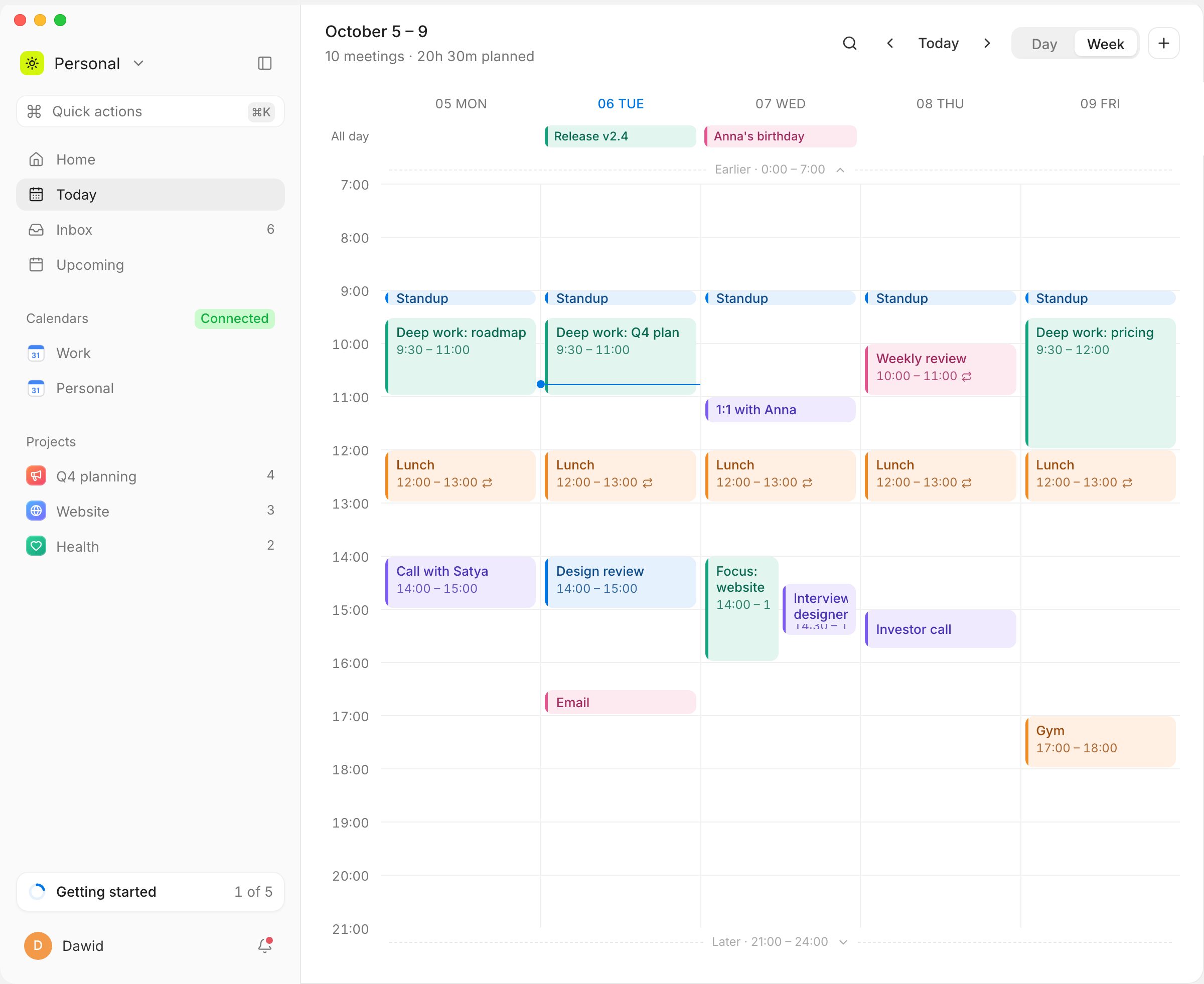
Time blocking means giving every task a slot in your calendar instead of keeping it on a list. Musli makes that a drag and drop: each task in your Inbox has a length, you drop it onto the day next to your Google Calendar meetings, and it becomes a block. Plan my day fills the rest of your free time in one step. Musli is a one-time purchase for macOS, Windows and Linux, now in development.
Tasks with a length
Every Inbox task knows how long it takes, so a dropped task is the right size on the day.
Plan my day
⌘K → Plan my day puts the Inbox into the free time inside your working hours. ⌘Z undoes it.
See what still fits
The line under the date shows how much of today is planned and what is still free.
Day and week
Plan today in the day view, or spread the week in the week view.
Questions
It depends on where your calendar lives and how you want to pay. If you use Google Calendar on a computer and prefer to pay once, Musli is built for that. Sunsama, Akiflow, Morgen and Motion are subscription options with more integrations.
Be first to try Musli
Musli is in development. Leave your email and we will write once, when you can download it.